A Kids Smartwatch Activity Tracker can make movement visible in a child’s day. It may count steps, record active minutes, and offer reminders during quiet afternoons. Some models also include GPS, calling, or location sharing. Those features can be useful, but they deserve careful review.
Dr. Jenny Radesky, a developmental behavioral pediatrician who studies children’s digital media use, offers a helpful principle: technology should support, not replace, responsive parenting. That idea matters when choosing a watch. A bright screen and a long feature list can distract from basics such as comfortable sizing, simple controls, battery life, and clear privacy settings. Check whether the watch fits a child’s wrist without rubbing. Ask how activity data is stored and who can access it. Then consider whether the device works with your phone and your child’s routine. Small details count.
This guide shares seven practical tips for comparing options, from age-appropriate features to durability and ongoing costs. It also leaves room for a less tidy truth: a tracker cannot make every child more active. Some children may enjoy watching their steps rise; others may ignore the numbers by Wednesday. That is normal. Choose a device that encourages healthy habits without turning movement into a daily scorecard. The best choice is not always the one with the most features.
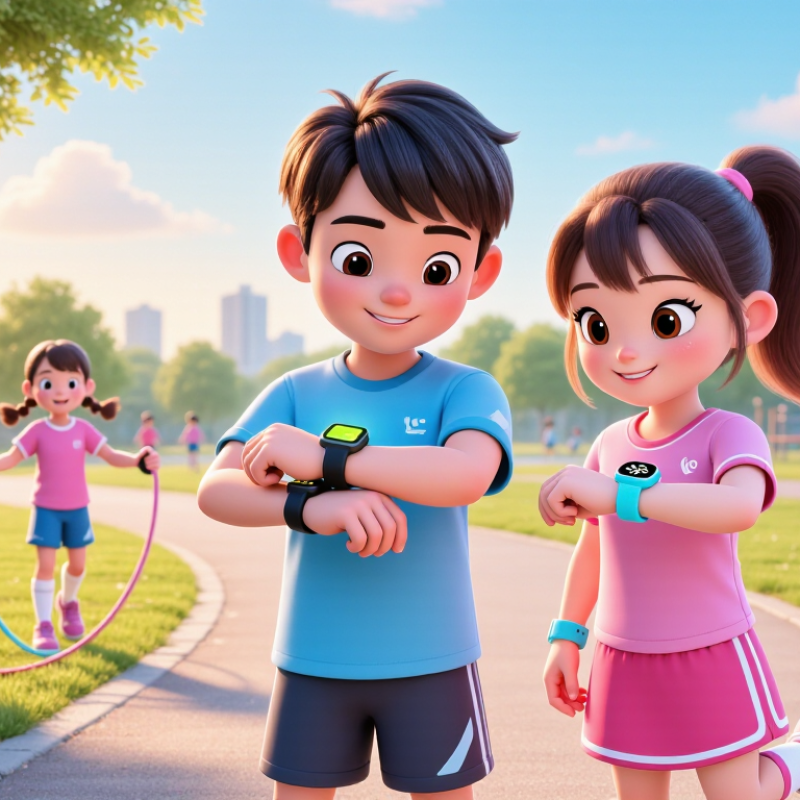
Before choosing a kids’ smartwatch activity tracker, consider the child’s age, comfort, and daily routine. A preschooler may need a soft, adjustable strap and simple movement prompts. An older child might enjoy tracking walks, playground games, or cycling. Start with fit.
The World Health Organization’s 2020 guidelines recommend that:
children aged 3–4 get at least 180 minutes of physical activity daily, including 60 minutes of moderate-to-vigorous activity.
For ages 5–17, the recommendation is an average of 60 minutes of moderate-to-vigorous activity each day.
Use these figures as context, not a scorecard. Children develop differently, and one quiet afternoon is not a problem.
Set goals around what the child actually enjoys, such as walking the dog or playing tag after school. A tracker can make activity visible, but it cannot explain why a child feels tired or prefers a calm day. Keep it gentle. In a 2019 Lancet Global Health analysis of 1.6 million adolescents, about 81% did not meet recommended activity levels. That finding points to a broad challenge, not a reason to pressure one child. Choose simple goals the child can understand, and check whether reminders feel encouraging or annoying. Sleep, play, and comfort matter too; a wearable should support those needs, not compete with them.
Before buying a kids’ smartwatch activity tracker, treat its safety settings as carefully as its step counter. Ask what information it collects, such as a child’s name, contacts, movement history, or voice recordings. Read the privacy notice with your child’s daily routine in mind. If the device stores location data, find out who can see it, how long it remains available, and how to delete it. Check whether location sharing can be paused, limited to approved caregivers, or disabled during school and bedtime. Test those controls at home, not during a rushed morning. That matters.
Use a strong account password and enable available account protections. Avoid sharing login details across family chats. Check permissions after software updates, since settings can change or new options may appear. Set clear rules with your child: when location is checked, who may contact them, and what to do if the watch feels uncomfortable. Try a practice check-in together. A tracker can offer reassurance, but it is not a substitute for supervision or a real conversation. Coverage may fail indoors, and battery warnings are easy to miss. I would not assume every feature works as expected; verify it yourself, then revisit the settings every few months.
A kids smartwatch can count steps, record active minutes, and estimate distance, but those numbers are not equally useful. Compare how each tracker defines activity. Some count general movement, while others reward only sustained motion. A child pacing around the kitchen may rack up steps without taking a walk. That matters. Look for clear explanations of daily goals, heart-rate readings, and any GPS-based features, rather than a long list of vague promises.
Tracking accuracy depends on fit and routine. A loose watch can miss movement, and vigorous arm swinging may add steps that never happened. Check whether the watch sits comfortably above the wrist bone, then compare its step count with a manual count during a familiar walk. Repeat the check on another day. Small differences are normal; large, consistent gaps deserve attention. GPS can also drift near tall buildings or under heavy tree cover.
Features should match the child’s habits, not just look impressive on a product page. For a child who rides a scooter, step totals may tell only part of the story. Active-minute estimates may be more informative, though they are still estimates. A common mistake is expecting a child’s tracker to behave like lab equipment. It won’t. Check whether settings can be adjusted, and treat trends as helpful clues rather than exact measurements.
A kids smartwatch activity tracker should feel light, sit flat, and avoid pinching when a child bends their wrist. Check the strap against a small wrist, then let your child fasten and remove it independently. Try it over a full afternoon. A red mark means reassess the fit. The World Health Organization recommends an average of 60 minutes of moderate-to-vigorous activity daily for children aged 5–17, so a comfortable tracker is more likely to stay on during play.
Durability matters on playgrounds, at school, and during handwashing. Look for clear water-resistance guidance, a firmly secured strap, and a screen that does not protrude sharply. The Lancet Child & Adolescent Health reported in 2019 that 81% of adolescents aged 11–17 were insufficiently active worldwide, based on data from 146 countries. A tracker can support activity awareness, but it cannot replace outdoor play or family routines. That distinction is easy to forget.
Ease of use should be obvious without a long setup session. Large, readable numbers and a simple activity display help children check progress themselves. Common Sense Media’s 2021 census found that U.S. tweens averaged 5 hours and 33 minutes of daily entertainment screen media. That figure does not measure smartwatch use, but it is a useful reminder to favor calm, quick interactions over extra distractions. Let your child test the menus; their first reaction may reveal what adults miss.
Battery life sounds simple until a child wears the watch all day. GPS updates, frequent calls, and weak reception can drain a small battery faster. Check independent test results, not just the maker’s maximum estimate. Ask how long charging takes, too. A rushed morning is a poor time to discover the watch is still charging.
Connectivity affects both reliability and cost. GSMA’s State of Mobile Internet Connectivity Report 2024 estimated that 4.6 billion people used mobile internet in 2023, while 3.1 billion lived within coverage but remained offline. Coverage is not the same as dependable service indoors or on a school route. Confirm that the tracker works with available local networks, and check whether location updates need a separate data plan. Some watches also require a monthly subscription for calls, GPS, or safety features.
Add up the full first-year cost: device, activation, monthly fees, and replacement charging cables. Read the cancellation terms and ask whether unused data expires. A low purchase price can hide recurring charges. Keep the receipt. Battery claims and coverage maps still cannot predict every family’s daily experience.
Ongoing connectivity fees can add up. These examples show the total cost of 24 months at three hypothetical monthly fee levels; they are calculations, not quoted plan prices. Check whether a watch requires a subscription, and compare battery life under the features your child will actually use.
It may collect a child’s name, contacts, movement history, or voice recordings. Check the privacy notice before setup.
Find out which caregivers can access it and how long it stays available. Check whether you can delete it.
Look for controls that limit sharing to approved caregivers or pause it during school and bedtime. Test them at home.
Use a strong password and available account protections. Don’t share login details in family chats.
Yes. Permissions may change after software updates, so review them every few months. I still find this easy to overlook.
Adjust the watch so it sits comfortably above the wrist bone. Count steps during a familiar walk, then repeat another day.
A loose watch can miss movement, while vigorous arm swings may add steps. Small differences are normal.
No. Activity minutes are estimates, and GPS may drift near tall buildings or beneath dense trees. Treat trends as clues, not precise measurements.
Not always. A child riding a scooter may get little useful information from step totals alone. That’s worth remembering.
Choosing a Kids Smartwatch Activity Tracker starts with understanding a child’s age, daily routine, and activity goals. Consider which features will genuinely help, such as step counts, movement reminders, or simple activity summaries, and make sure the watch is easy for the child to understand. Before buying, review its privacy settings and check whether location tracking can be controlled or turned off when it is not needed.
Comfort and reliability matter just as much as features. Look for a lightweight design, a secure fit, durable materials, and controls a child can use without frustration. Compare how the tracker measures activity, while remembering that readings are estimates rather than exact measurements. Finally, check expected battery life, how the device connects to a phone or network, and whether any service requires an ongoing fee. A thoughtful comparison can help families choose a practical tracker that fits their needs and budget.