A child’s emergency watch is not just a bright screen or a small GPS marker on a parent’s phone. It is a tool families may rely on when a school pickup changes, a crowded station becomes confusing, or a child needs help but cannot explain much. A well-chosen SOS Emergency Kids Smartwatch should make that moment simpler, not add another layer of worry. As child-safety advocate Gavin de Becker writes, “The goal is to teach the child to trust his or her own intuition.” That principle matters here: a watch can support a family safety plan, but it cannot replace calm conversations, agreed check-in habits, or adult care.
This guide compares ten models for buyers across different regions. It looks at practical details: how quickly the SOS button can be reached, whether location updates are clear, how battery life holds up through a school day, and whether setup feels manageable for caregivers. Coverage, language options, charging needs, and available support can vary by market. A feature listed on a product page may also work differently in daily use.
No device makes every situation safe. That is worth saying plainly. The best choice depends on a child’s age, routine, and comfort wearing the watch. Treat the rankings as a starting point, check current specifications with the seller, and test the device together before relying on it away from home.
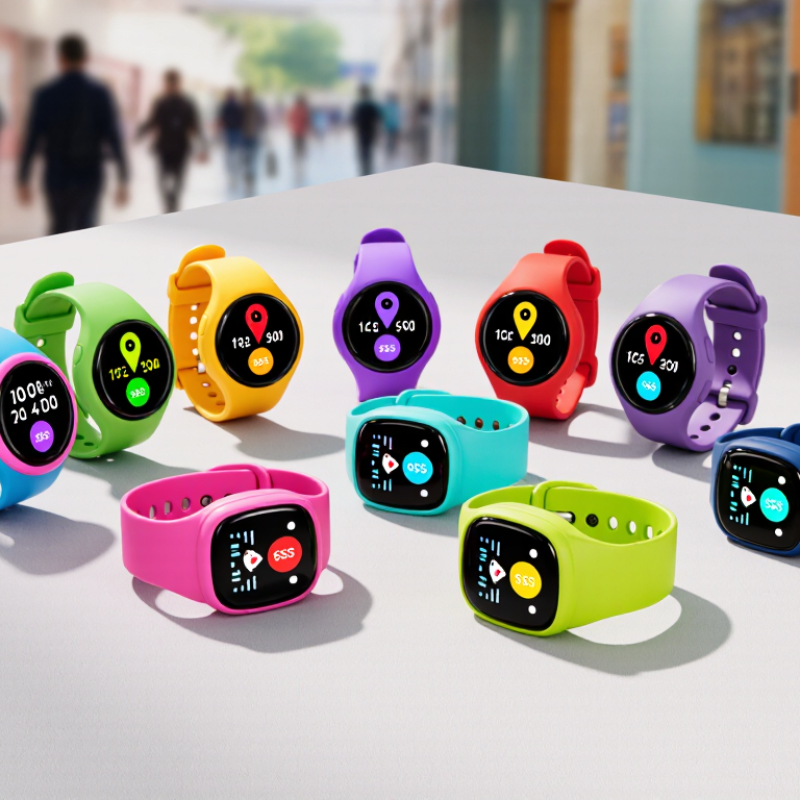
An SOS kids’ smartwatch is more than a wrist-worn call button. It combines cellular connectivity, satellite positioning, and a way to alert trusted adults. When a child presses SOS, the watch may call or message saved contacts and share an estimated location. Cellular service carries the alert; GNSS helps estimate the child’s position outdoors. That distinction matters. GNSS readings may drift near tall buildings, indoors, or under dense tree cover.
Families should check which cellular networks and coverage areas the watch supports before relying on it while traveling. SOS settings also need practical testing: confirm that contact numbers are correct, alerts arrive, and the child can reach the button easily. Keep the watch charged. A low battery can make every feature irrelevant. It is worth checking how location updates and emergency calls behave when signal is weak, since instructions and capabilities differ between devices. Small details matter. No smartwatch guarantees a rescue or replaces adult supervision, and location data is not always exact. That limitation is easy to overlook when a feature sounds reassuring.
In 2023, the GSMA counted 5.6 billion mobile subscribers worldwide. That figure shows how widely mobile connectivity is used, but it does not mean every child’s smartwatch can make an emergency call everywhere. A subscriber is not the same as a device, and network access varies by country, carrier, and location. Coverage is uneven. A watch that works beside a city bus stop may lose signal on a rural walk or inside a thick-walled building.
For global buyers, the useful question is not simply whether a watch has an SOS button. Check which mobile networks and frequency bands it supports, whether service is available where the child will use it, and what happens when coverage drops. Some models may share location or contact saved adults, but these functions can depend on network access, setup, and battery charge. Test the emergency process with caregivers before relying on it. A small detail can matter: a drained battery makes even a clear SOS button useless.
Tips: Confirm local network compatibility before purchase. Try the watch outdoors and indoors, and check that trusted contacts receive alerts. Keep expectations realistic; no connected device replaces adult supervision. I’d also revisit the settings after travel or a change of mobile plan.
A useful comparison starts with the SOS action, not the feature list. Check whether a child can press the button easily, even with small or cold fingers. A brief vibration or screen message can confirm that the alert was sent. Then verify who receives it and whether the watch shares a current location. Test the process with caregivers before relying on it. Small details matter. A delayed notification can be more important than a polished menu.
Location performance depends on surroundings. GPS may work well in an open park but struggle indoors or between tall buildings. Some watches combine GPS with Wi-Fi or cellular positioning, which can help but may still show an outdated point. Compare location timestamps, refresh intervals, and map clarity. Battery life needs the same practical scrutiny. A watch that lasts several days with light use may drain faster with frequent location updates. Test it through a normal school day, including a few location checks.
Durability means more than a water-resistance claim. Inspect the strap, button, charging contacts, and case edges, then check the stated water rating and test conditions. For global buyers, confirm that cellular connectivity works on the intended local network. A sturdy shell cannot fix poor coverage. My comparison would still be imperfect: children use devices differently, and one rough playground day can reveal what a neat specification sheet misses.
A ten-model comparison should start with the emergency button, not the screen or camera. Check whether SOS calls caregivers, shares a location, or both. Some watches send alerts only through a companion app; others can place calls directly. These are not equivalent in a crisis. Test how quickly an alert arrives and whether the location is clear enough to identify a school entrance or bus stop. Small details matter.
Connectivity can vary by country and carrier. A watch that works well at home may lose service during travel or use a different network band abroad. Check supported cellular bands, SIM requirements, roaming availability, and whether location services work reliably in the regions where the child will wear it. GPS may struggle indoors, while mobile-network positioning can be less precise. It is an imperfect trade-off.
Compare practical limits, too: battery life with location sharing enabled, water resistance, and how easily a child can trigger SOS by mistake. Ask whether caregivers can manage contacts and alerts without complicated setup. No model is best for every family. A long feature list can still hide weak coverage. I would verify local network support before buying, even when a product page sounds reassuring.
Regional emergency-number examples highlight why buyers should verify local dialing support, cellular-band compatibility, and roaming before choosing a smartwatch.
Bars count the distinct emergency numbers shown for police, fire, or ambulance in each market: for example, Japan uses 110 for police and 119 for fire or ambulance. These are regional examples—not smartwatch test results or a ranking of models. Emergency-call availability depends on the watch, its network connection, and local regulations.
For global buyers, an SOS smartwatch is only useful when its cellular bands match local networks. Compare the watch’s supported LTE bands with carriers in the child’s home country and travel destinations. Check whether it uses a physical SIM or eSIM, and whether activation works abroad. A roaming icon does not guarantee SOS calls will connect reliably. Test coverage near home, school, and common travel routes.
Small details matter. Ask the carrier whether roaming supports voice, data, and emergency calling—not just basic connectivity. Confirm who receives an alert, whether location updates continue when data is limited, and what charges may apply. Privacy deserves equal attention: review location-sharing controls, account access, data retention, and options for removing stored information. A clear settings screen is reassuring, but it is not proof that every data practice is suitable.
Local requirements can vary. Radio equipment approval, SIM registration, children’s privacy rules, and emergency-number handling may differ by country. Check with local carriers and relevant authorities before buying or travelling; requirements can change. If possible, test the watch with its intended SIM before relying on it. Still, a home test cannot predict every roaming problem. I may be overcautious, but an untested SOS button is a weak promise.
It can use cellular service to contact saved adults and share an estimated location. It is not a rescue guarantee.
Cellular service carries calls or alerts. GNSS estimates a child’s position outdoors. They do different jobs.
No. Tall buildings, indoor spaces, and dense trees can affect readings. A map pin may be off.
Check contact numbers, press the button, and confirm alerts arrive. Try it near a school entrance or bus stop.
Not necessarily. Check supported networks, cellular bands, SIM requirements, and roaming in each region.
No. Some send alerts through a companion app, while others can call directly. These options are not the same.
Check battery life with location sharing on, water resistance, and whether a child can press SOS by mistake. Small details matter.
No. Keep the watch charged and check its coverage. I might trust the feature too quickly, so regular testing seems wise.
An SOS Emergency Kids Smartwatch combines cellular connectivity, satellite-based positioning, and an emergency alert function to help children contact trusted adults and share their location when needed. With billions of people using mobile services worldwide, families have many connected-device options, but a watch’s usefulness depends on more than its headline features. A careful comparison should consider how quickly and reliably an SOS alert is sent, how clearly the device reports location, how long its battery lasts, and whether it can withstand everyday use.
For global buyers, connectivity needs special attention. Cellular bands and network support vary by region, and roaming availability may affect service when a child travels. Buyers should also review privacy settings, account controls, and applicable local requirements before choosing a device. Comparing these practical factors across ten models can help families identify a watch that suits their child, home network, and travel needs without relying on a single feature or specification.