
0%

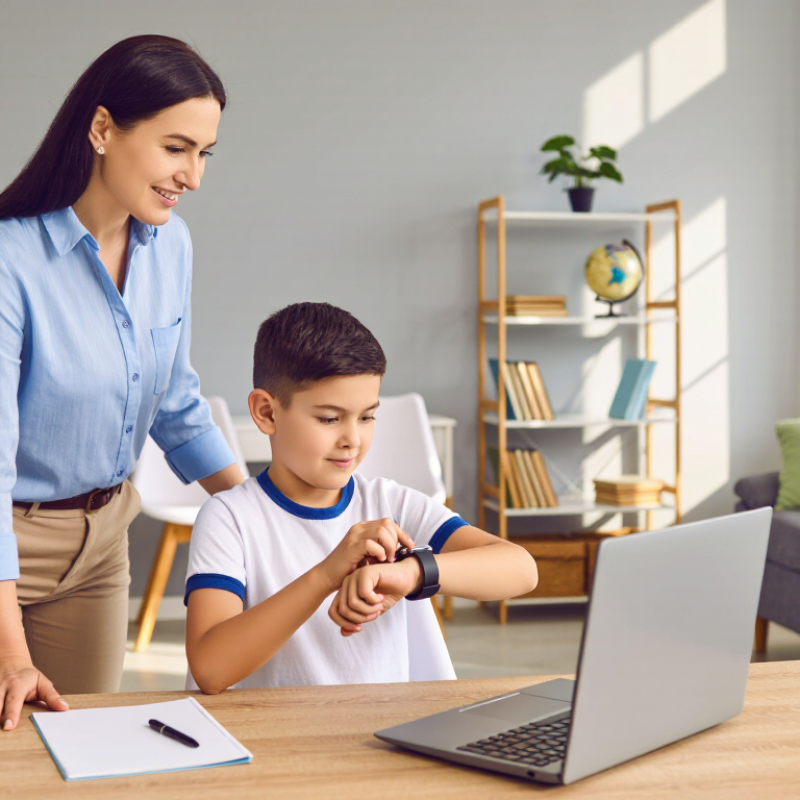
Choosing a School Mode Kids Smartwatch is no longer only about colorful straps or cartoon faces. Parents are balancing communication, classroom focus, battery life, privacy, and emotional independence. The device should support a child’s daily routine, not quietly replace parenting or school guidance.

Recent industry data explains the growing interest. Pew Research Center’s 2024 report found that 95% of U.S. teenagers have access to a smartphone, while 46% go online almost constantly. Younger children may not need the same level of access. The Common Sense Census: Media Use by Tweens and Teens reported that tweens averaged about 5 hours and 33 minutes of entertainment screen media daily, excluding schoolwork. That matters. A simpler watch may offer calls and location sharing without opening a full app ecosystem.

However, choosing well requires more than comparing advertised features. Look for a clearly documented School Mode Kids Smartwatch with scheduled classroom restrictions, approved contacts, emergency calling, reliable battery performance, and durable water resistance. Check whether location data is encrypted, whether parents can delete account information, and whether the manufacturer explains software updates. Independent testing is more persuasive than glossy specifications. A watch that lasts only one school day may become frustrating by Friday. A strict school mode may also block useful communication if settings are poorly designed.

Needs differ. My practical view is cautious: connectivity can reassure families, but it cannot solve every safety concern or distraction. Parents should test the watch at home, review school policies, and discuss when communication is appropriate. The best choice is usually the least complicated model that meets the child’s real routine.

How to Choose a School Mode Kids Smartwatch?

Define School Mode and Its Role in a Child’s Daily Routine

How to Choose a School Mode Kids Smartwatch?

School Mode is a scheduled setting that limits non-essential smartwatch functions during lessons.

It can pause games, messaging, cameras, and distracting alerts. Calls from approved contacts may remain available for genuine needs. The child can still check the time. That small detail matters during a busy school day.

Ofcom’s Children and Parents: Media Use and Attitudes Report 2024 found that 96% of UK children aged 5–15 used the internet in 2023. Pew Research Center reported in 2024 that 95% of US teenagers had access to a smartphone.

These figures show why clear digital boundaries matter, even for younger children. A suitable school mode should offer weekday schedules, teacher-friendly silence, and simple emergency access. Parents should also check whether location sharing can be paused and whether stored data is protected.

A useful test is a normal school morning.

The watch should enter school mode automatically, avoid bright notifications, and restore selected functions after the final bell. It should not become another classroom distraction.

Still, school mode is not a magic switch. A child may forget the schedule, or need a caregiver unexpectedly. Review the settings with the child each term. Ask what feels helpful, not only what adults want controlled.

That conversation is easy to skip. It should not be.

Identify Essential Features for Learning, Safety, and Communication

Choosing a school-mode kids smartwatch starts with learning needs, not flashy screens. In my experience, a quiet interface helps children check schedules without losing focus. Select a device with restricted school hours, simple icons, and readable text. The mode should block games and unnecessary alerts during lessons. Teachers may still need flexibility for trips or emergencies. A calendar, timer, or reminder can support routines, but children should understand each tool’s purpose. Keep it practical.

Safety features should be specific and easy to test. Look for location sharing with clear permission controls, an emergency contact function, and dependable calling. Location data can be imperfect indoors, near tall buildings, or when the battery is low. Check battery life during a normal school day, not only in laboratory claims. Communication should stay limited to approved contacts. This reduces distractions and protects privacy. Ask whether data is encrypted, how long it is stored, and who can access it.

A reliable choice should also fit the child’s habits. The watch must feel comfortable under a sleeve and survive ordinary bumps. Test the clasp, charging routine, sound level, and screen visibility before school begins. Do not assume every safety feature works equally well everywhere. Local school rules, network coverage, and family routines can change the result. I would review settings with the child weekly, although real life may disrupt that schedule. A short check still catches forgotten contacts, weak passwords, or distracting notifications.

Compare Distraction Controls, Scheduling Options, and Emergency Tools

How to Choose a School Mode Kids Smartwatch?

Compare Distraction Controls, Scheduling Options, and Emergency Tools

A useful school mode should reduce interruptions without isolating a child. Look for controls that silence games, social alerts, and unnecessary notifications during lessons. Calls from approved contacts should still pass through. Keep it simple.

Scheduling matters because school routines rarely stay identical. Choose weekday settings with separate times for classes, lunch, travel, and after-school activities. A parent should be able to adjust the schedule remotely when clubs or transport plans change. Check whether the watch follows local time automatically. A missed time-zone setting can create confusion. I once overlooked a five-minute transition, and the device stayed restricted during a pickup call.

Emergency tools deserve practical testing, not just impressive descriptions. The watch should offer a clearly marked SOS control, two-way calling, and reliable contact selection. Location sharing can help during travel, but it may become less accurate indoors or with a weak signal. Review how often location updates occur. Also check battery life after active location use. A safety feature is less useful when the battery is empty.

Ask whether accidental SOS presses can be cancelled safely. Confirm that emergency contacts receive understandable alerts, not vague notifications. Test the process near the school gate, inside a building, and during a normal commute. School policies may limit calling, recording, or location features. Children also need practice. A short rehearsal can prevent panic, although it may not cover every real situation.

Check Comfort, Durability, Privacy, and Battery Performance

How to Choose a School Mode Kids Smartwatch?

Comfort, durability, privacy, and battery performance matter more than colorful extras. A child should wear the watch without rubbing or adjusting it during class. Choose a soft, breathable strap and a lightweight case. Check whether the buttons are easy to press but difficult to activate accidentally.

I once focused too much on screen size. A smaller display proved less distracting during lessons. It also fit better under a jacket cuff.

Durability needs practical testing, not just impressive packaging. Look for a secure strap, raised screen edges, and a verified water-resistance rating. Dropped watches and spilled drinks are normal school events.

School mode should limit games, sounds, and unnecessary notifications during teaching hours. However, emergency contact features should remain simple and accessible.

Test these settings before daily use. Small mistakes can matter.

Privacy deserves careful attention. Review app permissions, location controls, account access, and data-retention policies. The watch should collect only information it genuinely needs. Use strong passwords and enable two-step protection when available.

Battery performance also affects safety and reliability. Compare realistic school-day testing, not only laboratory claims. A full charge should last through commuting, lessons, and after-school activities. GPS, voice calls, and frequent location updates can drain it quickly.

My own testing would include one busy day, because ideal conditions hide weaknesses. Keep charging routines consistent, but expect occasional surprises.

Match the Smartwatch with Your Child’s Age and School Requirements

Choosing a school-mode kids smartwatch starts with age, not the feature list.

For children aged five to seven, a simple watch with approved contacts, location sharing, and a clear school-mode switch is usually enough. Avoid games, bright alerts, and open messaging. The World Health Organization recommends no sedentary screen time for infants and limits it to one hour for children aged two to four. A watch is not the same as television, but its screen habits still deserve attention.

For children aged eight to eleven, consider scheduled quiet hours, emergency calling, step tracking, and location updates during travel. Ofcom’s Children and Parents: Media Use and Attitudes Report 2024 found that 97% of UK children aged 5–15 went online in 2023. That access needs boundaries. Check whether the school permits wearable devices, recording functions, or location services. Requirements differ. A useful school mode should silence non-essential notifications while keeping approved calls available.

Older students may need fewer controls, but stronger privacy settings. Choose contact approval, data deletion options, and a parent dashboard with limited access. The Children’s Online Privacy Protection Rule also shows why parental consent and data handling matter for younger users. Battery life matters too; a device that dies before the afternoon pickup is not dependable. No checklist is perfect. I would test the watch for one school week, review distractions, and adjust its settings with the child. Habits matter more than specifications.

FAQS

What should school mode block during lessons?

It should silence games, social alerts, and unnecessary notifications. Approved calls should still pass through. Keep distractions low.

Can parents change school schedules remotely?

A useful schedule supports separate times for classes, lunch, travel, and activities. Parents should adjust it when clubs or transport plans change. Check local-time settings carefully.

Which emergency tools should a child’s smartwatch include?

Look for a clear SOS button, two-way calling, and reliable contact selection. Emergency alerts should explain what happened. Vague messages create confusion.

How should families test the SOS function?

Practice near the school gate, inside a building, and during a normal commute. Check whether accidental presses can be cancelled safely. Rehearsals help, but they cannot cover every situation.

Does location sharing always provide accurate information?

No. Indoor areas and weak signals can reduce accuracy. Review update frequency and test the feature before relying on it.

What makes a smartwatch comfortable for school?

Choose a soft, breathable strap and a lightweight case. A smaller screen may distract less during lessons. It can also fit under a jacket cuff.

How can families judge durability?

Check the strap, raised screen edges, and verified water-resistance rating. Dropped watches and spilled drinks happen. Packaging alone proves little.

What privacy settings deserve attention?

Review app permissions, location controls, account access, and data-retention policies. Use strong passwords and two-step protection when available. Collect less data.

How long should the battery last?

Test it through commuting, lessons, and after-school activities. GPS, calls, and frequent location updates drain power quickly. One busy-day test may reveal weaknesses.

How should children prepare to use the watch responsibly?

Explain school rules about calls, recording, and location features. Practice ordinary situations without creating panic. I would repeat the test later, because one rehearsal can miss problems.

Conclusion

Choosing a School Mode Kids Smartwatch means finding a balance between learning, safety, communication, and healthy independence. School Mode should limit distracting functions during class while still allowing essential tools, such as approved contacts, scheduled reminders, location support, and emergency assistance when needed. Parents should review whether the watch can follow school hours, weekends, and different daily routines, while offering flexible controls that match the child’s responsibilities and the school’s expectations.

Comfort and durability are also important for everyday use. Look for a lightweight design, a secure and adjustable strap, reliable battery performance, and materials suitable for active children. Privacy settings should be clear and easy for parents to manage, especially for communication and location features. Finally, consider the child’s age, maturity, learning needs, and school requirements before choosing a model. The best School Mode Kids Smartwatch should support a child’s routine without creating unnecessary distractions or reducing valuable family communication.

Julian

Julian

Julian is a professional marketing specialist dedicated to helping businesses make better-informed decisions through clear, practical, and industry-focused communication. With extensive knowledge of the company’s products and services, he translates complex features into useful insights that are......