Choosing a Parental Control Smartwatch for Children requires more than comparing bright screens and colorful straps. The device sits on a child’s wrist during school, travel, play, and family routines. It can share location, receive calls, and trigger an SOS alert. The choice matters. Parents should examine GPS accuracy, contact approval, geofencing, battery life, school mode, and privacy settings. A watch that lasts only six hours may fail during an afternoon emergency. A device with open messaging may create unnecessary risks. Features can mislead.
Industry evidence supports careful evaluation. Ofcom’s Children and Parents: Media Use and Attitudes Report 2024 shows how deeply connected devices shape children’s daily lives and parental decisions. The Common Sense Census: Media Use by Kids Zero to Eight also highlights children’s early exposure to digital media, making age-appropriate design important. The GSMA Mobile Economy 2024 report further emphasizes the expanding role of connected devices and mobile services worldwide. These reports do not prove that every child needs a smartwatch. They show why families need clear boundaries.
Stephen Balkam, founder of the Family Online Safety Institute, has stated, “There is no silver bullet when it comes to online safety.” His warning applies directly here. A Parental Control Smartwatch for Children should support communication, not replace trust, conversation, or supervision. Parents should test the emergency function, review data permissions, and explain when tracking is appropriate. A careful choice may still contain compromises. That is normal. Reliability matters more than novelty.
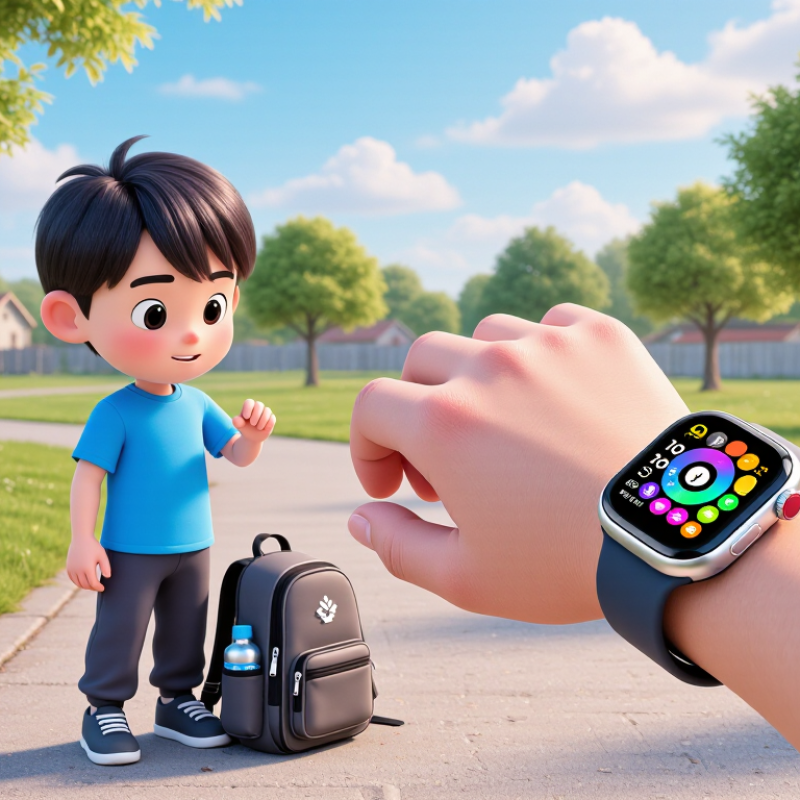
Location tools need careful testing. GPS can drift near tall buildings, indoors, or underground. Choose a watch with location history, safe-zone alerts, and an obvious accuracy indicator. Emergency calling should work with approved contacts only. Two-way voice calls, a physical SOS button, and a contact whitelist are useful features. Battery life matters too. A watch that dies before school ends is not reliable. Water resistance, a secure strap, and a simple interface also suit active children.
Tips: Test the watch around your home, school route, and a crowded shopping area. Check whether location updates arrive quickly. Review permissions every month. According to the UK Information Commissioner’s Children’s Code, services aimed at children should protect privacy by default. That principle is sensible, although real settings can still be confusing. I would also involve the child in choosing alerts and contacts. Control should not quietly become distrust.
How to Choose a Parental Control Smartwatch for Children
A child’s smartwatch should make communication easier without turning childhood into constant surveillance. Look for verified contacts, clear calling controls, and simple voice messages. An emergency button can help, but children must know when to use it. Test it together in a quiet room and outside the home. Check whether calls connect quickly and whether the microphone works near traffic.
Location features need careful judgment. Live tracking may support safer journeys, yet continuous monitoring can affect trust and independence. Choose adjustable location sharing, arrival alerts, and a visible history that parents can delete. Geofencing should be flexible, not alarming when a child walks slightly beyond a boundary. Location data should use encryption, limited retention, and strong account protection, including multi-factor authentication. Avoid devices requesting unrelated permissions.
Privacy settings matter daily. Read the data policy, not only the product page. Check where information is stored, who can access it, and how deletion requests work. A school mode can mute distractions, but it should not disable emergency communication without clear controls. Battery life also affects safety; a dead watch cannot help. No setting is perfect. Parents may overlook an alert, and children may forget the device. Review permissions monthly, practice emergency steps, and ask the child how the watch feels. Their discomfort is useful evidence, not a problem to dismiss.
Safety, privacy, and communication priorities for everyday use
The chart uses a practical 1–5 priority scale for evaluating core smartwatch functions. Emergency communication, controlled location sharing, and approved-contact settings receive the highest priority because they directly affect a child’s safety and a parent’s control. Privacy permissions, data deletion, and reliable everyday communication should also be checked before purchase. These scores are a decision-making framework, not market-share or brand-performance data.
Location tracking should work beyond a marketing map. GPS.gov reports typical outdoor GPS accuracy of about five meters under open skies. Buildings, tunnels, and dense streets can reduce accuracy sharply. That matters. Look for GPS, Wi-Fi positioning, and nearby-device support. A useful watch should show a child’s recent location, not only a delayed point. During testing, walk between a school gate, a bus stop, and a concrete building. I would not trust one location check.
Battery life depends on tracking frequency, screen brightness, and signal strength. A watch promising several days may last less than one day with continuous location sharing. Check the claimed endurance under active tracking, not standby conditions. A simple routine helps: charge it overnight, then test it during a normal school day. My practical concern is easy to overlook. A dead safety device is still dead.
Network compatibility needs careful reading. GSMA Intelligence’s Mobile Economy 2024 reported that 4G represented about 59% of global mobile connections in 2023. Ericsson’s November 2024 Mobility Report estimated 2.3 billion 5G subscriptions by the end of 2024. These figures show why connectivity is changing quickly. Choose support for widely used 4G LTE bands and VoLTE, rather than relying only on 5G. Confirm local coverage, roaming rules, SIM requirements, and future network shutdown plans. A cheaper device may become inconvenient sooner than expected.
Choosing a parental control smartwatch starts with the child, not the feature list. Ofcom’s Children and Parents: Media Use and Attitudes Report 2024 found that 97% of UK children aged 5–15 used the internet in 2023. Connected devices are already normal. Age still changes what children can manage. Younger children need large icons, limited contacts, and clear voice prompts. Older children may handle calendars, fitness tools, and supervised messaging. Keep it simple. A child should complete an emergency call without adult help.
Durability deserves practical testing. IEC 60529 defines IP ratings, but an IP67 rating does not promise protection from every playground accident. It indicates dust protection and temporary immersion under controlled conditions. Check the strap, screen edge, charging port, and clasp. A loose clasp can fail before the electronics do. Test the watch with small hands, wet fingers, and a school uniform sleeve. I would not rely on laboratory ratings alone.
Ease of use affects safety and daily acceptance. Look for a battery that lasts through school, travel, and bedtime routines. Complicated charging quickly becomes a forgotten task. The World Health Organization recommends an average of 60 minutes of moderate-to-vigorous activity daily for children and adolescents. Activity features can support that goal, but they should not create pressure or constant monitoring. One weakness in my own checklist is focusing too heavily on parental controls. If setup takes an hour, or alerts arrive too often, families may quietly stop using them. Test the app, contact settings, and notification controls before purchase. Consistency matters.
| Assessment Dimension | Recommended Baseline | What to Check | Why It Matters |
|---|---|---|---|
| Age suitability | Use the manufacturer’s stated age range and consider the child’s reading, motor, and safety skills. | Look for appropriately sized controls, simple menus, adjustable straps, and age-appropriate features. | A watch that is too complex may be difficult to use and may encourage unnecessary screen time. |
| Parental controls | Require parent approval for contacts, communication, downloads, and account changes. | Check whether contacts can be edited remotely and whether unknown numbers can be blocked. | Controlled contact lists can reduce unwanted calls, messages, and interactions. |
| Location features | Choose location services that can be enabled or disabled by a parent and clearly explain accuracy limits. | Check for location history controls, notification settings, and privacy permissions. | GPS accuracy can vary because of buildings, weather, satellite visibility, and network conditions. |
| Emergency communication | Include a clearly marked emergency or SOS function with parent-configured recipients. | Confirm how the alert is activated, who receives it, and whether the child can cancel accidental alerts. | An emergency feature is useful only when the child can operate it quickly and correctly. |
| Water resistance | For everyday activity, consider at least an IP67 rating; select higher protection for frequent water exposure. | Verify the exact rating and its conditions. IP67 generally covers dust protection and temporary immersion up to 1 metre for up to 30 minutes under laboratory conditions. | Water resistance is not the same as unlimited waterproofing, and seals may weaken through wear or damage. |
| Impact resistance | Prefer a recessed or protected screen, flexible strap, and a case designed for active use. | Inspect the screen cover, buckle, charging port, and attachment points for exposed weak areas. | Children’s watches are more likely to experience drops, scraping, twisting, and contact with playground equipment. |
| Battery performance | Aim for at least one full day of normal use, with charging that fits the family’s routine. | Review battery life with location tracking, calls, and notifications enabled rather than only standby figures. | Frequent charging or unexpected shutdowns can reduce reliability during school or travel. |
| Ease of setup | Select a setup process that can be completed with clear instructions and a parent-controlled account. | Check pairing steps, network requirements, software updates, and account recovery options. | Simple setup lowers the risk of incorrect privacy, contact, or notification settings. |
| Child-friendly interface | Use large icons, readable text, tactile buttons, and a limited number of core functions. | Ask the child to make a call, read a message, check the time, and trigger a practice alert without assistance. | Practical usability is more important than having a long list of features. |
| Wearability | Choose a lightweight design with a comfortable, adjustable strap and no sharp edges. | Check fit on the child’s wrist, strap ventilation, clasp security, and comfort during movement. | A watch that irritates the skin or slips off is less likely to be worn consistently. |
| School suitability | Include school-time restrictions, quiet hours, and the ability to disable games or nonessential functions. | Confirm whether parents can schedule notification blocking and whether emergency calls remain available. | School settings help reduce distractions while preserving essential communication. |
| Privacy and data controls | Prefer clear privacy documentation, parent-managed permissions, secure login, and data deletion options. | Review what data is collected, how long it is retained, who can access it, and whether location sharing can be stopped. | Children’s location, voice, and communication data require careful handling and limited access. |
| Maintenance and support | Choose a device with documented software support, replaceable accessories, and accessible troubleshooting information. | Check update frequency, warranty terms, charging cable availability, and repair or replacement procedures. | Ongoing support helps preserve security, compatibility, and long-term usability. |
Practical selection rule: Prioritize reliable communication, strong parental controls, comfort, and durability before entertainment features or appearance.
Choosing a parental control smartwatch starts with the full cost, not the attractive purchase price.
Calculate the watch, activation fee, monthly service, charging accessories, and possible replacement costs. A low upfront price can become expensive after twelve months. Ask whether location features, voice calls, and emergency contacts require a paid plan. Check cancellation terms carefully.
Families should also budget for a protective case and a second charger.
Small expenses add up.
Parental controls should be practical, transparent, and adjustable as a child grows.
Look for approved-contact lists, school-time restrictions, location sharing, SOS functions, and alerts for changed settings. Parents should manage permissions through a secure app with strong authentication. Read the privacy policy, especially its data retention and deletion rules.
Test every feature before relying on it outdoors.
A map can lag. That matters.
Avoid devices that encourage constant tracking without discussing boundaries with the child.
Long-term reliability depends on battery health, software updates, network coverage, and repair support.
Read independent reviews from families who used the device for several months, not only launch-day opinions. Check the warranty length and whether water resistance covers ordinary splashes. Ask how updates are delivered and what happens when support ends.
I would keep a simple backup plan, such as a trusted phone number card, because technology fails.
My own checklist is not perfect; children use devices roughly, and real life exposes weaknesses that specifications miss.
Record the support contact.
It should use encrypted connections and collect only necessary data. Parents need clear consent settings. Privacy should be the default. Review permissions monthly.
Outdoor GPS may be accurate within several meters under open skies. Tall buildings, tunnels, and indoor spaces can cause errors. The watch should show accuracy clearly. One location check is not enough.
Look for location history, safe-zone alerts, and recent updates. Test the watch near a school gate, bus stop, and concrete building. Delayed information can mislead parents.
Emergency calls should reach approved contacts only. A physical SOS button can help during stressful moments. Two-way voice calls are useful. Keep the contact list short.
Test it during a normal school day with active tracking. Bright screens and weak signals drain power faster. Charge it overnight. A dead safety device remains useless.
Check support for widely used 4G LTE bands and voice calling over 4G. Confirm local coverage, SIM needs, roaming rules, and network changes. Future compatibility matters. Cheap may become inconvenient.
Choose water resistance, a secure strap, and simple controls. Small buttons may be hard to press quickly. Test the watch during movement. Comfort still matters.
Yes, when practical. Let the child discuss alerts and approved contacts. Constant monitoring can weaken trust. I would not pretend the balance is easy.
Choosing a Parental Control Smartwatch for Children requires balancing safety, convenience, and long-term value. Look for essential features such as GPS location tracking, two-way calling, approved-contact lists, emergency alerts, and customizable parental controls. Privacy should be a priority, so the device should collect only necessary information and provide clear settings for managing communication and location access. Battery life, network compatibility, and dependable connectivity are also important for everyday use, especially when children are away from home.
The best smartwatch should match the child’s age, needs, and level of independence. A simple interface, comfortable design, strong materials, water resistance, and secure fastening can make it easier to use and more durable. Parents should also compare purchase and service costs, subscription requirements, warranty coverage, software support, and the reliability of the device over time. By considering these factors together, families can choose a practical smartwatch that supports communication and safety without adding unnecessary complexity.