0%

Choosing a Kids Smartwatch with Calling and Messaging is not simply about bright screens or colorful straps. It is about balancing connection, safety, privacy, comfort, and a child’s growing independence.

A useful watch should let a child contact approved family members without feeling like a miniature smartphone. Calling must sound clear in a noisy school corridor. Messaging should be simple enough for small fingers. The device should also offer dependable battery life, strong parental controls, and transparent data practices. A watch that needs charging every afternoon may fail when it matters most.

James P. Steyer, founder of Common Sense Media, has said, “Technology should support parenting, not replace it.” That principle guides this discussion. A Kids Smartwatch with Calling and Messaging can reassure parents during a walk home, but it cannot replace conversation, supervision, or trust. It should be one layer of support.

Look closely at contact approval, location features, emergency options, and message history. Check whether location sharing can be disabled when appropriate. Consider waterproofing, strap comfort, and the child’s ability to operate the watch independently. Small details matter. A confusing interface can create stress instead of confidence.

There is no perfect choice. Some parents may prioritize GPS accuracy, while others may value fewer distractions. I may favor simple controls too strongly, because advanced features can sometimes help older children. The best decision depends on age, maturity, routines, and family expectations. This guide examines those trade-offs carefully, so buyers can choose with clearer evidence and fewer assumptions.
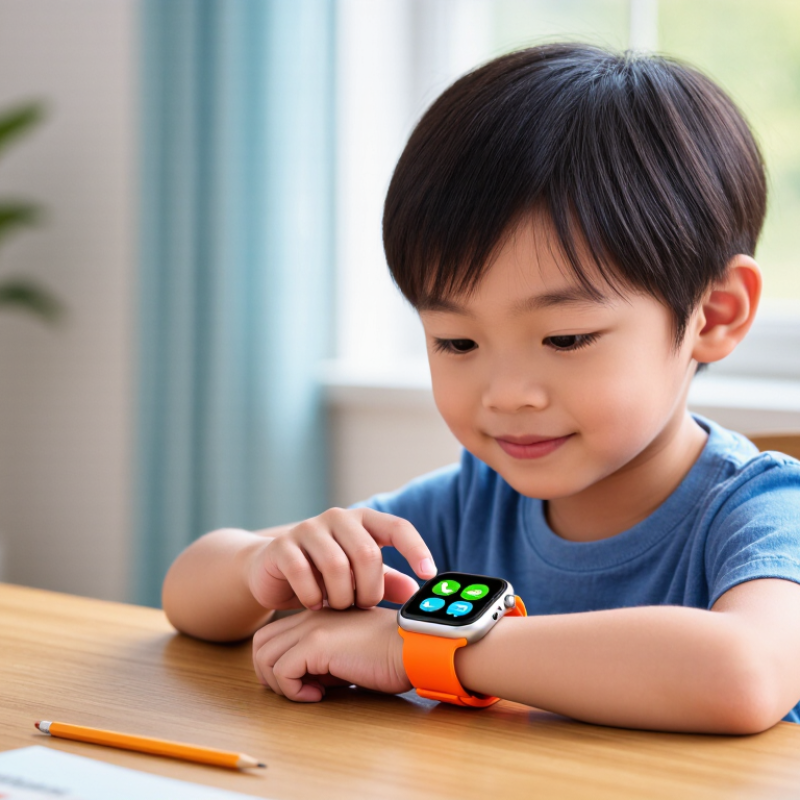
How to Choose a Kids Smartwatch with Calling and Messaging?

What a Kids Smartwatch with Calling and Messaging Can Do

How to Choose a Kids Smartwatch with Calling and Messaging?

A kids smartwatch with calling and messaging can act like a small communication bridge. A child can call approved contacts without carrying a phone. Parents can send short voice messages, reminders, or simple text instructions. This helps during school pickups, playground visits, and after-school activities. The contact list should be controlled by an adult. Unknown callers should not reach the child.

Many models support location sharing through GPS, mobile networks, or nearby Wi-Fi. Location updates can show whether a child arrived at school or left a familiar route. Accuracy may change near tall buildings or indoors. Do not treat the map as perfect. Some watches also provide SOS calling, scheduled check-ins, and low-battery alerts. These functions require coverage and a charged device.

Battery life matters in daily use. A watch may need charging every night, especially with frequent calls or location updates. I recommend testing the microphone near traffic and inside a busy room. Clear audio is more useful than impressive specifications. Messaging can teach children to communicate briefly and responsibly. However, constant tracking may feel intrusive. Families should discuss privacy, school rules, and when location sharing is appropriate. I once focused too much on features and overlooked strap comfort. That mistake made the watch stay in a drawer.

Which Safety and Communication Features Matter Most

How to Choose a Kids Smartwatch with Calling and Messaging?

Which Safety and Communication Features Matter Most

A kids smartwatch should support safe, simple communication before offering entertainment. Look for calling limited to parent-approved contacts. This reduces unknown messages and accidental conversations. Two-way voice calling should sound clear indoors and outdoors. Test it near a busy road, not only in a quiet room.

An emergency button matters, but its behavior needs careful checking. It should contact selected adults quickly and show the child what happened. Location sharing can help during a crowded event or an unexpected pickup. Check how often location updates occur, because delayed information may create false confidence. Geofencing can alert adults when a child leaves a chosen area. Still, it is not perfectly accurate around tall buildings.

Messaging should use large buttons and short voice notes. Children may struggle with tiny keyboards. Review whether adults can manage contacts, block unwanted communication, and see message history. Privacy controls also deserve attention. Ask where location data is stored and how it is protected. Read the settings with your child.

Battery life is a safety feature too. A device that dies before school ends cannot send help. Test it through a normal day with calls, location updates, and screen use. Water resistance is useful during handwashing, but it may not protect against every swim. I would avoid relying on one feature. Children need practice using the device calmly. Even then, mistakes can happen.

How to Match the Watch to Your Child’s Age and Needs

Choosing a kids smartwatch starts with your child, not the feature list. A five-year-old may need one-touch calling to reach approved family members. Large icons and simple voice messages matter more than games. At this age, avoid complicated menus. Children can press the wrong button easily.

Children aged eight to ten often need more independence. Look for contact controls, clear messaging, school-time settings, and location sharing with informed family consent. The watch should support short messages, not constant conversations. Battery life also matters. A dead watch cannot help during an unexpected schedule change. Check whether your child can wear it comfortably during homework, sports, and outdoor play.

Older children may handle broader messaging choices, but privacy still requires careful boundaries. Review contact approval, account security, and location settings together. Explain when tracking is appropriate. Do not treat the device as a replacement for trust or supervision. In practical testing, adults should try every calling and messaging step before purchase. Check the speaker near a busy street and the screen under bright sunlight. A watch that works indoors may fail outside. I once assumed more features meant better value, but unused tools only created confusion. Needs change quickly, so review the settings every few months. Your child may outgrow the watch before its advertised features do.

How to Compare Networks, Battery Life, Durability, and Cost

Choosing a kids smartwatch requires more than checking its color and camera. Network reliability comes first. GSMA’s Mobile Economy 2024 report says 4G represented about 69% of global mobile connections in 2023. That makes dependable 4G calling more practical than paying extra for unused 5G. Check local coverage indoors, near schools, and during family trips. Messaging should work through both cellular data and Wi-Fi when available. Also verify whether the watch supports voice-over-LTE, since older networks are being retired in many regions.

Battery claims need careful reading. A watch lasting “several days” may achieve that with location tracking disabled. Frequent calls, GPS updates, and bright screens can drain it before bedtime. I once focused too heavily on standby time. That was a mistake. For daily safety, a realistic target is one full day with active tracking. Durability matters too. Look for an IP rating tested under IEC 60529, but remember that water resistance is not unlimited. Drops, playground dust, and loose charging contacts cause more trouble than laboratory tests suggest. Cost includes the device, monthly service, replacement straps, and possible activation fees.

Tips: Compare two weeks of real usage, not only advertised specifications. Ask whether the battery can be replaced. Test message delivery inside your child’s usual school route. Read independent reviews from parents and technical laboratories. Counterpoint Research reported continued growth in the global smartwatch market during 2024, but more devices do not mean better value. A slightly cheaper model may become expensive if its network coverage is weak or its charging routine is unrealistic. Be willing to reconsider your first choice.

How to Choose a Kids Smartwatch with Calling and Messaging?

Comparison Factor Basic Connected Watch Balanced Family Watch Advanced Safety Watch What Parents Should Check Main Trade-Off
Typical Upfront Cost US$50–100
Usually includes essential calling and location features.
US$100–200
Common price range for stronger hardware and broader safety tools.
US$200–350+
Usually adds improved displays, sensors, storage, or more advanced tracking.
Compare the total first-year cost, including the watch, activation, monthly service, taxes, and accessories. A lower purchase price may come with a higher monthly plan or fewer network options.
Mobile Network Often supports 4G LTE for voice and data; some models may rely on 2G or 3G in limited markets. Usually uses 4G LTE and may support VoLTE for clearer, more reliable calls. Typically uses 4G LTE with broader band support and better roaming flexibility. Confirm carrier compatibility, supported LTE bands, VoLTE availability, coverage at home and school, and whether the device is locked to one service. Network performance depends on local coverage, indoor signal strength, congestion, and the service provider—not only the watch.
Calling Two-way voice calls with a parent-approved contact list. Two-way calling plus contact management through a parent app; some models support voice messages. Calling, voice messages, group or family communication, and stronger parental controls may be available. Check whether unknown numbers are blocked, whether contacts require parent approval, and whether emergency calls work without a paid plan. More communication options can increase distraction and battery consumption.
Messaging May support preset texts, short voice messages, or emoji responses. Usually supports parent-approved text, voice, emoji, and image messaging through a companion app. May offer richer messaging, larger storage, and communication with several approved family members. Verify whether messages are sent by SMS, mobile data, or a proprietary app, and whether both sender and receiver need an account. App-based messaging normally requires mobile data and an active service plan.
Battery Life About 1–2 days under typical use. About 1–3 days, depending on calls, GPS, screen use, and signal quality. About 1–2 days when frequent location updates, cellular data, or extra sensors are enabled. Look for the manufacturer’s stated standby and typical-use figures, charging time, battery capacity, and replaceability. Live tracking, weak cellular coverage, frequent calls, and bright screens can reduce runtime substantially.
Charging Usually uses a proprietary magnetic or clip-on charger. Usually includes magnetic charging with a full charge commonly taking around 1–2 hours. May require a dedicated cradle or magnetic cable and may take longer because of a larger battery. Check whether the charger is easy to attach, has overcharge protection, and can be replaced separately. Proprietary chargers are convenient but are less interchangeable than standard USB-C cables.
Durability Basic plastic case; often suitable for everyday indoor use and light outdoor activity. Reinforced case and raised screen protection; better suited to regular playground use. More robust materials and stronger protection for active children or frequent outdoor use. Check the stated drop resistance, screen material, strap quality, operating temperature, and warranty coverage. Rugged construction can increase weight, thickness, and purchase price.
Water Resistance May have splash resistance only; swimming should not be assumed to be safe. Many models offer an IP67 or IP68 rating, but conditions and testing limits vary. Some models provide IP68 or a separate swimming-related rating, subject to time and depth limits. IP67 generally indicates protection against temporary immersion up to 1 meter for up to 30 minutes in controlled testing; IP68 conditions vary by manufacturer. Check the manual. Water resistance can decline after impacts, repairs, aging seals, or exposure to chemicals.
Location Tracking Basic GPS or network-assisted location with periodic updates. GPS, Wi-Fi, and cellular positioning with scheduled or on-demand updates. More frequent location updates, location history, geofencing, and sometimes multi-system satellite support. Check indoor accuracy, update frequency, map quality, geofence alerts, and whether tracking can be paused for privacy. Frequent tracking improves visibility but uses more battery and mobile data.
Emergency Features May include an SOS button that contacts approved adults. Usually offers SOS calling, alerts, and configurable emergency contacts. May add automatic safety alerts, scheduled check-ins, or fall-related notifications. Confirm who receives the alert, how location is shared, whether the feature works without cellular service, and how accidental presses are prevented. No consumer smartwatch should be treated as a replacement for emergency services or adult supervision.
Parental Controls Basic contact approval and limited device settings. Contact approval, school mode, location controls, and activity schedules. More detailed permissions, multiple caregiver accounts, location history, and configurable notifications. Review data collection, account security, two-factor authentication, deletion options, and the minimum age for the companion app. More controls may require a subscription and can involve greater collection of location data.
School-Friendly Features Simple school mode or scheduled notification blocking. School mode that can silence calls and messages while retaining emergency access. More flexible schedules for classes, weekends, and multiple time zones. Confirm whether the watch can still receive SOS alerts and whether teachers can require the device to be powered off. School policies differ, so check the rules before purchase.
Monthly Service Cost About US$5–15 per month for limited connected service in some markets. About US$10–25 per month for voice, messaging, GPS, and a data allowance. About US$15–40+ per month for broader data, enhanced tracking, or multi-caregiver services. Check activation fees, data limits, cancellation terms, roaming fees, taxes, and whether a separate phone number is included. The cheapest plan may limit calls, messages, tracking frequency, or compatible networks.
Best Fit Simple communication
Suitable for a child who mainly needs approved calls, basic messages, and occasional location checks.
Most families
A practical balance of calling, messaging, safety features, battery life, durability, and cost.
Maximum features
Best for families that need detailed tracking, stronger controls, or more advanced communication tools.
Choose based on the child’s age, independence, school rules, local network coverage, and how often the device can be charged. The most expensive option is not automatically the safest or most suitable choice.
Important: Prices, network availability, battery performance, water-resistance conditions, and subscription features vary by country and service plan. Always confirm the current specifications and coverage for your location before buying.

How to Set Up and Manage a Kids Smartwatch Responsibly

A responsible setup begins before the first call. Common Sense Media’s 2020 Census reported that 42% of children aged zero to eight had their own tablet, while 19% had their own smartphone. A connected watch deserves similar care. Create a short approved-contact list with your child. Use real names, not vague labels. Test calling from the kitchen. Test messaging beside the front door. Test the emergency function together.

Keep it boring. Disable public profiles, unnecessary apps, and location sharing by default. Set school-time quiet hours, a strong parent password, and automatic software updates. Explain that location data is private, even when the screen looks harmless. Pew Research Center reported in 2024 that 95% of U.S. teens had access to a smartphone, showing how quickly communication habits become normal. That does not prove every child needs constant connectivity. It does show why boundaries matter early.

Review contacts and permissions monthly. Check the watch after sports practice for cracks, heat, or battery problems. Ask your child who contacted them and how the conversation felt. Do not secretly read every message unless safety requires it; trust can weaken quietly. I would also review the data plan, because “unlimited” can encourage careless use. My first setup would probably include too many restrictions. That is worth correcting after observing the child’s actual routine. Keep a written charging place. A watch left in a schoolbag is not dependable.

FAQS

What can a kids smartwatch with calling and messaging do?

It lets children call approved contacts without carrying a phone. Parents can send short voice messages, reminders, or simple instructions.

How should parents control contacts?

An adult should approve every contact. Unknown callers should not reach the child. Keep the list small and review it regularly.

Can the watch show a child’s location accurately?

Location sharing can indicate school arrival or route changes. Accuracy may drop indoors or near tall buildings. The map is not perfect.

What safety features are useful?

SOS calling, scheduled check-ins, and low-battery alerts can help. These features need mobile coverage and a charged watch.

How often might the watch need charging?

Frequent calls and location updates may require nightly charging. A dead watch cannot help during an unexpected schedule change.

Which features suit younger children?

A five-year-old may need one-touch calling and large icons. Simple voice messages usually work better than complicated menus or games.

What should families check before buying?

Test every calling and messaging step. Check the microphone near traffic, the speaker in a busy room, and the screen outdoors.

How can families protect privacy?

Discuss school rules, tracking boundaries, and location-sharing times together. Do not use tracking as a replacement for trust. I would review settings every few months.

Does a longer feature list mean better value?

Not always. Unused tools can create confusion. I once focused too much on features and overlooked strap comfort. The watch stayed in a drawer.

Conclusion

Choosing a Kids Smartwatch with Calling and Messaging requires more than comparing appearance or price. Parents should first consider what the watch can do, such as making approved calls, sending simple messages, sharing location, setting reminders, and providing emergency contact options. Safety and communication tools should be easy to control, with features such as contact approval, privacy settings, location controls, and classroom-friendly modes. The best choice should match the child’s age, independence, daily routine, and ability to use the device responsibly.

Parents should also compare network compatibility, battery life, charging convenience, water and impact resistance, and the total cost of service and accessories. A reliable setup includes configuring trusted contacts, reviewing permissions, explaining communication rules, and teaching the child when and how to use the watch. Regularly checking settings, battery condition, and usage habits can help maintain safety and privacy. With thoughtful selection and ongoing supervision, the watch can support family communication without replacing direct guidance or healthy boundaries.


Margot

Margot

Margot is a dedicated marketing professional with extensive knowledge of the company’s products, services, and target markets. As a regular contributor to the company’s professional blog, Margot creates clear, practical, and insightful articles that help readers understand industry trends, product......